Can't trade perpetual futures on OKX?
Check your account mode first
Account mode is a switch on your trading account
An OKX account has a funding account and a trading account. OKX's Help Center page “Why do I use an unified account?” describes it like this: you transfer assets from your funding account to your trading account, and trade each product line from the trading account. The account mode is the switch on that trading account that decides which product lines you can touch.
The Help Center sorts the modes into three groups: spot mode, futures mode and the advanced modes, which in turn split into multi-currency margin mode and portfolio margin mode.
So if the trading page has no way into perpetual or expiry futures, or a futures order won't go through, don't assume something is wrong with your account just yet. The two OKX help pages that list what spot mode can trade include neither perpetual nor expiry futures.
What each mode can trade
| Mode | What you can trade | Who OKX says it's for | Requirement |
|---|---|---|---|
| Spot mode | Unified-account page: spot trading and buying options only Settings tutorial: spot and leverage (margin) | Entry-level traders | — |
| Futures mode | Spot, margin, expiry futures, perpetuals, options | Users with some trading experience | — |
| Multi-currency margin (advanced) | Spot, margin, expiry futures, perpetuals, options | Advanced users, e.g. large institutions and market makers | One page says trading account funds ≥ 50,000 USD; another says account assets worth ≥ 10,000 USD |
| Portfolio margin (advanced) | — | — | VIP3 user level or above |
Can spot mode borrow? OKX's pages disagree
Here are the statements behind that first table row, side by side with a third page:
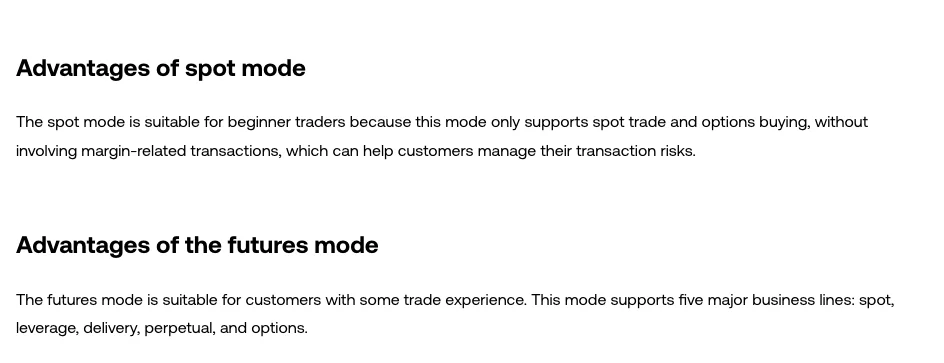
- “Why do I use an unified account?” (updated Aug 11, 2026): spot mode “only supports spot trade and options buying”, with no margin-related transactions.
- “How do I set up the commonly used transaction features?” (updated Oct 13, 2026): spot mode lets you trade spot and leverage products.
- “Borrow in spot mode” (updated Aug 12, 2026): the whole page is about how to borrow in spot mode. Once assets are in the trading account they can serve as collateral for borrowing, either manually or through an auto-borrow order that borrows when it fills.
The last two pages were updated more recently, and there's an entire rules page devoted to borrowing in spot mode. Read the three together and it's clear that spot mode doesn't guarantee you'll never touch borrowing. Whether your own trading page shows options such as borrowing or auto-borrow is what tells you how your account actually works right now.
That same page has three borrowing rules worth remembering:
- Interest is charged on your debt every hour.
- If your account's net assets fall below the maintenance margin plus the initial margin needed for open auto-borrow orders, the system cancels all those orders.
- If your maintenance margin ratio drops to 100% or below, the system first repays the debt and interest with the same asset, then reduces positions, and if that still isn't enough, liquidates everything.
If all you want is to buy and sell spot with your own money, check before placing an order that it isn't an auto-borrow order. A normal buy order uses your own assets; when an auto-borrow order fills, the system borrows on your behalf.
Where to switch: app and web paths
OKX's English help pages give slightly different paths, but the backbone is always trading page → settings → account / trading mode:
- App (settings tutorial, updated Oct 13, 2026): on the trading page, Menu (···) → Settings → Trading mode, where you can switch account mode.
- App (multi-currency margin page, Aug 12, 2026): tap Trade at the bottom of the page → top-left menu → Trade settings → Account mode → Multi-currency margin mode.
- Web (futures mode page, Aug 11, 2026): Trade page → Futures → Settings → Account mode → Futures mode.
Menu labels change with app updates. If they don't match what you see, look in the trading page's settings for the item with “mode” in its name.
Every one of these help pages carries a note at the top saying the content “may not apply to all users”. If you've switched to futures mode and still have no way into futures, changing modes isn't the fix, and don't go looking for so-called workarounds.
Cross margin in futures mode shares one currency
Futures mode gives you two ways to use margin: isolated and futures cross margin. Isolated is easy to grasp: each position uses its own margin and nothing is shared.
The cross margin rule is this: cross positions in futures and margin trading that have the same settlement currency share margin, and their profits and losses offset. OKX's own example: in futures cross mode you hold a BTC coin-margined perpetual and, at the same time, open a BTC/USDT margin long using BTC as margin. Those two positions share margin and offset each other's profit and loss.
Isolated draws a clearer line around your losses than cross: if one position goes wrong, it doesn't touch another position's margin. But futures and margin positions can both lose all the margin put into them; isolated only fences the loss inside one position. Before opening a futures position, see OKX perpetual futures: liquidation, funding and leverage.
Multi-currency margin is not a beginner upgrade
Because it's labelled “advanced”, it's easy to read it as an account upgrade. OKX says it is meant for advanced spot, margin and futures traders, such as large institutions, market makers and other professional users.
The core difference from futures mode is how far cross margin reaches. Under multi-currency cross margin, every currency in the account is converted to its USD value and counted as margin together, and all cross positions in futures and margin trading share margin and offset profit and loss. With auto-borrow turned on, you can borrow automatically to trade a coin's spot and futures markets even if you don't hold that coin.
Requirements: “Why do I use an unified account?” gives trading account funds of at least 50,000 USD, while “What is multi-currency margin mode?” gives account assets worth at least 10,000 USD. The portfolio margin row says VIP3 user level or above. For a beginner, which number is right matters less than a prior question: do you actually need all of your assets carrying the risk together under cross margin?
Borrowing isn't free either. When you trade futures under multi-currency cross margin, each currency has an interest-free borrowing allowance, for example 20,000 USDT. Once unrealised losses go beyond that allowance, interest starts to accrue and is charged once an hour.
300% and 100%: two lines that keep coming up
The help pages on futures mode, multi-currency margin mode and borrowing in spot mode all give the same two lines:
- Maintenance margin ratio ≤ 300%: the system issues a position-reduction warning, alerting you to the risk of your positions being reduced.
- Maintenance margin ratio ≤ 100%: the system forcibly liquidates positions. The spot-mode borrowing page also spells out what happens first: repay debt and interest with the same asset, then reduce positions, then liquidate everything if that still isn't enough.
The 300% line is a reminder, not protection. How long it takes to fall from 300% to 100% depends on how fast the market moves. To work out your liquidation price before opening a position, the app's futures trading page has a calculator under ··· → Common features at the top right; the Help Center says it can calculate position PnL and liquidation price. For what a liquidation really costs you, read on: OKX perpetual futures: liquidation, funding and leverage.
Match the mode to what you actually want to do
- Only buying and selling spot, with no borrowing or futures: spot mode, and don't place auto-borrow orders.
- Opening perpetual or expiry futures: futures mode. Isolated draws a clearer line around losses than cross; futures and margin can both lose all your margin.
- Multi-currency margin or portfolio margin: OKX says multi-currency margin is for advanced users such as large institutions and market makers, and portfolio margin requires VIP3 user level or above. Without a clear need, don't switch.
The same Trading mode page holds two more settings. One is the position mode: one-way positions hold only one direction at a time, and opening in the opposite direction closes your current position, which OKX labels as suitable for beginners; two-way positions let you hold long and short at the same time. The other is the futures trading unit, which can be shown in coins or in contracts.
The moment you place an order brings a separate layer of mistakes, such as a stop-limit order that never fills or a closing order sent without reduce-only ticked. Those come down to order types, not account modes. For protecting the account itself, see the account security setup guide.
FAQ
Why can't I find where to open a perpetual futures order on OKX?
Check your account mode first. In OKX's Help Center, the list of what spot mode can trade has no perpetual or expiry futures, while futures mode and the advanced modes support all five product lines: spot, margin, expiry futures, perpetuals and options. You switch from the trading page's menu (···) under Settings → Trading mode. The help pages also warn at the top that their content may not apply to all users: if you've switched to futures mode and still have no way into futures, changing modes won't fix it.
Can I get liquidated in spot mode?
If you only trade with your own assets and never borrow, there is no borrowing-related liquidation. But OKX has a whole page on the borrowing rules in spot mode: once you've borrowed, if your maintenance margin ratio falls to 100% or below, the system first repays the debt and interest with the same asset, then reduces positions, and if that still isn't enough, liquidates everything. So what matters isn't the name of the mode but whether you've borrowed.
In futures mode, should I pick cross or isolated margin?
With isolated margin, each position's margin stands alone, so trouble in one position doesn't drag in the others. With cross margin in futures mode, positions that settle in the same currency share margin and offset each other's profit and loss, and in an extreme market you could lose everything you hold in that currency. Isolated draws a clearer line around your losses, but either way you can lose all the margin you put in.
How much do I need to turn on multi-currency margin mode?
OKX's Help Center gives two figures. “Why do I use an unified account?” (updated Aug 11, 2026) says trading account funds of at least 50,000 USD; “What is the multi-currency margin mode?” (updated Aug 12, 2026) says total account asset value of at least 10,000 USD. More important than the number: cross margin in this mode puts every currency in the account up as margin, and in an extreme market you could lose all the funds in the account.
Are one-way and two-way positions an account mode too?
No. That's the position mode, which sits on the same Settings → Trading mode page as the account mode. One-way positions hold only one direction at a time, and opening in the opposite direction closes your current position; OKX labels this as suitable for beginners. Two-way positions let you hold long and short at the same time, and the two sides don't close each other out.