How to download and install the OKX app
and how to recognise a fake one
Four things to remember — the rest is detail
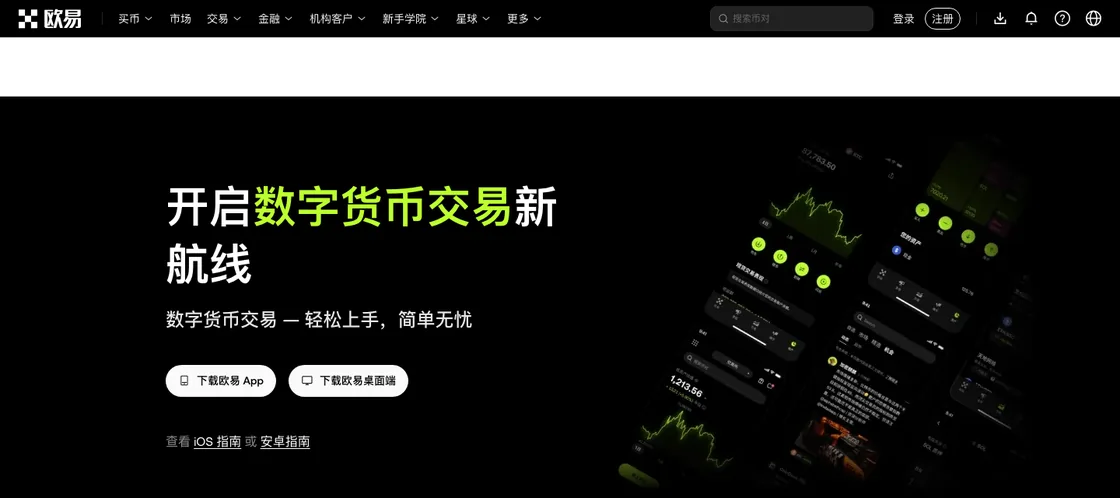
- Only trust www.okx.com. The download entry point is the download icon in the top-right corner of the official site, or the /download page. Whether you scan a QR code or tap a button, start from there.
- Finding nothing on iOS is normal. In quite a few regions the App Store returns no results for OKX. You can switch the store region to Hong Kong or Singapore, or sign in with an overseas Apple ID and search again — whether you may actually use the service is governed by the rules where you live.
- On Android, install the package from the official site. The site hands you an apk directly; the system will ask you to allow installs from an unknown source. Turn that permission back off once you are done.
- A fake app really can clean you out. You only wanted to log in to an exchange account, and it's asking for a seed phrase or private key — delete it on the spot (you deliberately tapping "import wallet" inside the official wallet to restore an existing wallet is a different matter; see Signal 3). As for SMS and authenticator codes: typing the code you received into the official app's own login or withdrawal screen is normal. What is dangerous is someone asking you to read a code out to support, type it into a third-party site or app, or enter it while they are remote-controlling your screen — the second half of this guide shows you how to spot that.
Why downloading deserves its own guide
Installing an app hardly sounds like a topic — search the store, tap Get, done. In practice there are two hurdles: first, in many regions the app store returns no results for OKX at all, and you are left staring at an empty search box; second, in a hurry, people install a fake — from a link a helpful stranger sent, or from a third-party download site that looks respectable enough.
The first hurdle is an inconvenience. The second costs money. Fake apps are near-perfect copies: same icon, same colours, same screens. You sign up, deposit and trade on them, and the money goes into someone else's pocket. OKX itself keeps warning about this: people build counterfeit clients, get you to download and log in, and once you deposit or trade inside, the funds are gone. That is not a scare story — it happens every year.
So this guide comes in two halves. The first walks through the official download path for each platform so you actually get the app installed. The second gives you a set of signals for telling real from fake, so the thing you installed is the real one. Get both right and the first step is solid.
Official download channels at a glance
Start with the overview table. One principle to carry through: every download should begin at www.okx.com — even if you end up tapping Get in the App Store, it is worth going there through the official download page, or at least cross-checking against it once.
| Device / OS | The official route | How to confirm it is official |
|---|---|---|
| iPhone / iPad (iOS) | Search OKX in the App Store, or scan the QR code on the official download page | Check the developer name against what OKX publishes — not just the icon and the app name |
| Android phone | Download the apk straight from the official download page; in some regions it is also listed in app stores | Take the apk from the official site only; advanced users can verify the package name and signature afterwards |
| Computer (Windows / macOS) | The official download page has a desktop client; you can also just use the web version | The address bar must read www.okx.com — watch for lookalike domains |
| Would rather not install anything | Use the web version, straight from the official site | Only www.okx.com; bookmark it once and enter through the bookmark from then on |
The route OKX itself points to is: open the official site (www.okx.com), tap the download icon in the top-right corner, then scan the code or tap the button for your device. Commit that path to memory — anything that bypasses the official site and asks you to install from somewhere else deserves a question mark. OKX redesigns its pages from time to time, so trust the official site as you find it on the day.
iOS · how to download
There is really only one complication on iOS: App Store regions. Your Apple ID belongs to one country or region, and you can only install what is listed there. In some regions the search comes back empty — nothing is wrong with your phone, it is the store region.
Route 1: switch your App Store region
Go to Settings → your Apple ID → Media & Purchases → View Account → Country/Region and switch to a region where OKX is listed, such as Hong Kong or Singapore. Changing region usually requires a local billing address; the exact rules are Apple's. Once the switch is done, search for OKX again.
Route 2: use a separate overseas Apple ID
The cleaner option is to register or use a separate Apple ID in an overseas region and download while signed in to it. Your main Apple ID keeps its region, and apps and data stay out of each other's way; the downside is one more account to manage.
Checking the developer is the step that matters. Once you find OKX, do not tap Get straight away — scroll to the bottom of the listing and look at the Developer line to see whether it is the official OKX entity. The company name shown has not always been identical across regions, so take what OKX publishes as the reference. The principle does not move, though: if the developer does not match, or the reviews are full of people saying they were robbed, back out.
Whether OKX is available to you at all, given who you are and where you live, is a separate question — we cover the facts and the limits in can you use OKX in mainland China. This page only solves the technical problem of getting the app installed; it does not teach you to get around any compliance restriction.
Android · how to download
Android is more flexible than iOS: you can pull an apk from the official site and install it without any app store involved. The flip side of that flexibility is that a wrong apk source is the single biggest risk — Android will install a package from anywhere, and the system will not vet it for you.
1. Get the apk from the official site
1 minuteOpen www.okx.com in your phone browser, go to the download page, tap the Android download and take the apk. Only from the official site — not from whichever third-party download site ranks highest in search, which is exactly where packages get swapped.
2. Allow this one install
1 minuteTap the apk and the system will say installs from unknown sources are not allowed. Go into settings and grant that permission temporarily to the browser you are using, then continue.
3. Turn the switch back off
30 secondsOnce the app is installed, go back into settings and revoke that unknown-sources permission. Leaving it on is leaving a door open for the next malicious apk.
4. Check once on first launch
1 minuteThe first time you open the app, watch the domain on any login or redirect screen: it should be okx.com. Advanced users can compare the apk's package name and signature against the official ones; if that is beyond you, no matter — guarding the source alone blocks nine tenths of the risk.
Desktop app and web version
Phones are not the only option. If you prefer charts on a big screen, the official download page also carries a Windows / macOS desktop client; and if installing a client feels like a chore, the web version is entirely sufficient — sign in on the official site and you can trade, deposit, withdraw and watch the market.
The one thing to watch on the web is still the address bar: it must be www.okx.com. The favourite trick of phishing sites is a near-identical page on a domain that differs by a letter or two, set up to harvest your login. Get it right once, bookmark it, and always enter through the bookmark — far safer than typing it out or tapping a search result, since the top result is sometimes an ad rather than the official site.
6 signals of a fake OKX app
Follow the download paths above and you have already dodged most of the trouble. Scammers keep iterating, though, so here are six signals — hit any one of them and stop immediately. The test works for any exchange app, not only OKX.
SIGNAL 1The download did not come from the official site or an official store
Links dropped in group chats, QR codes sent by direct message, third-party download centres in search results — these are the main distribution channels for fake apps. The genuine article comes from www.okx.com and official app stores. If the source is wrong, nothing after it matters.
SIGNAL 2The developer name or the domain does not match
Check the developer entity in the App Store and the domain in your browser. Fake sites love addresses that look right — okx-xxx.com, okxapp-xx.cn — or swap the letter o for a zero. Compare letter by letter instead of glancing at it and deciding it looks about right.
SIGNAL 3You weren't importing a wallet, and it's asking for your seed phrase
This one needs splitting into three cases, because a blanket rule just confuses people. ① The exchange-account route never asks for a seed phrase, at any point. Signing up and logging in to an OKX account runs on a phone number or email plus a password, plus a verification code; anything that asks for a seed phrase or private key in a "log in to your account" context is fake, so delete it. ② "Import wallet" inside the official OKX Wallet is a normal feature. It's there on the wallet tab of the official app and in the browser extension: you type in 12 seed words or a private key to restore a wallet you already have. The conditions are that the software came from the official site or an official store, and that you went looking for that screen — not that it popped up nagging you to fill it in. OKX doesn't store your seed phrase, which also means nobody can recover it for you if you lose it. ③ Anyone else asking you to hand over a seed phrase is running a scam, full stop. Support agents, people in group chats, browser pop-ups, someone offering to "just do it for you" remotely — however reasonable the pitch sounds, the seed phrase is the wallet, and reading it out is handing the money over.
SIGNAL 4It asks you for your SMS or authenticator code
OKX says this repeatedly: the verification code is the last lock on your withdrawals and settings changes, and the company will never come asking you for it. Any app screen, support agent or pop-up that wants you to type a code you received somewhere else, or read it out to someone, is picking that lock.
SIGNAL 5It pushes you towards a support group or a mentor group
Real exchange support lives inside the app and in the official help centre; it does not herd you into an exclusive Telegram or WhatsApp group. Anything steering you into a group, a one-to-one mentor or an inside pump comes with the usual script attached. We take those patterns apart in more detail in is crypto a scam.
SIGNAL 6Withdrawals behave strangely or the numbers do not add up
Fake apps typically credit deposits instantly and stall every withdrawal: you are told to deposit more, or to pay a margin or unfreezing fee before you can take anything out. Real platforms have published rules for deposits and withdrawals — the on-chain logic is laid out in how long an OKX withdrawal takes. The moment you hear that getting money out requires putting money in, it is fake.
The whole thing in one line: the official side will never ask you for a verification code, a private key or a seed phrase, and will never make you pay in before you can take money out. Keep that in your head and you will recognise well over ninety percent of the fake apps and scam scripts in circulation on the spot.
Three things to do once it is installed
Do not charge straight in once the app is on your phone. Working through this order keeps the riskiest early steps under control.
1. Check the domain and the source once more
After opening the app, glance at the domain on any step that hands you over to a web login: it should be okx.com. Confirm that, then carry on.
2. Create the account and finish KYC
Signing up and verifying has its own pitfalls — which email to use, how to get the KYC photos through first time, what to do if you are rejected. Our OKX signup and KYC guide walks you through it, so we will not repeat it here.
3. Security first, deposits second
As soon as the account exists, go and set up the five account security settings: 2FA, the anti-phishing code, the withdrawal whitelist. Fifteen minutes of work that blocks the overwhelming majority of account takeovers and phishing attempts. With security in place, then think about how to deposit — and make the first one small, running deposit, trade and withdrawal end to end once before you scale up.
One more thing: whether or not you use a referral code at signup only affects your fee discount. It has no bearing on whether the app is genuine, or on whether you can use the service. If you want to understand how referral codes work, see how to use an OKX referral code.
FAQ
Where do I download the genuine, official OKX app?
Start from the official site, www.okx.com — the download icon in the top-right corner, or the /download page. On iOS, search for OKX in the App Store and check that the developer name matches what OKX publishes; on Android you can take the installer straight from the official site. Do not install from links or QR codes forwarded in chat groups, or from third-party download sites you cannot vouch for — that is where fake apps come from.
The App Store shows no results for OKX on my iPhone. What now?
In some regions — the mainland China App Store among them — there are no search results at all. The common workaround is to switch your App Store country or region to Hong Kong or Singapore, or to sign in with an overseas Apple ID and search again. Whether OKX is actually available where you are, and which compliance requirements apply, is decided by OKX and by local rules. We report the facts and do not teach you to get around any restriction.
How do I tell at a glance that I installed a fake app?
Watch these few things: the download did not come from the official site or an official app store; the developer name does not match the official one; you only wanted to log in and it wants your seed phrase or private key (you importing an old wallet yourself inside the official wallet is a different matter); it asks for your SMS or authenticator code; it pushes you to tap unfamiliar links, scan a QR code or join a so-called support group. A genuine official app will never come asking for your verification codes, private keys or seed phrase.
What is the first thing to do after installing?
Confirm that the domain you have open really is the official one, then follow the signup guide to create your account and finish KYC, and set up account security straight away: 2FA, the anti-phishing code and the withdrawal whitelist. Do not rush a large deposit — put a small amount through the deposit and trading flow first.